You know the drill. A "New version available" pops up on your phone, and without even looking, you swipe and tap "Remind me later."
But every now and then you do wonder: is this update actually worth it?
Figuring that out takes no effort at all; the key is that string of digits you normally never look at, the version number.
Take the GPT you use every day. As it climbs from one generation to the next, you can feel it getting better, and those differences are all written into its version number. The other apps on your phone work the same way, except the upgrade usually brings not more smarts but more stability and security. Learn to read the version number and you'll know which updates are really worth taking, instead of letting them slip by.
We'll get to reading one in a moment; first, a minute on how it actually works.
Client and server update together, that's how you get the best experience
That client app on your phone is really just a front desk. The real work, serving up all the features you use, happens on the other end you never see: the server, the back end in our data center. Just about everything you can do runs on it behind the scenes. This front-and-back setup is what's technically called a C/S (client / server) architecture.
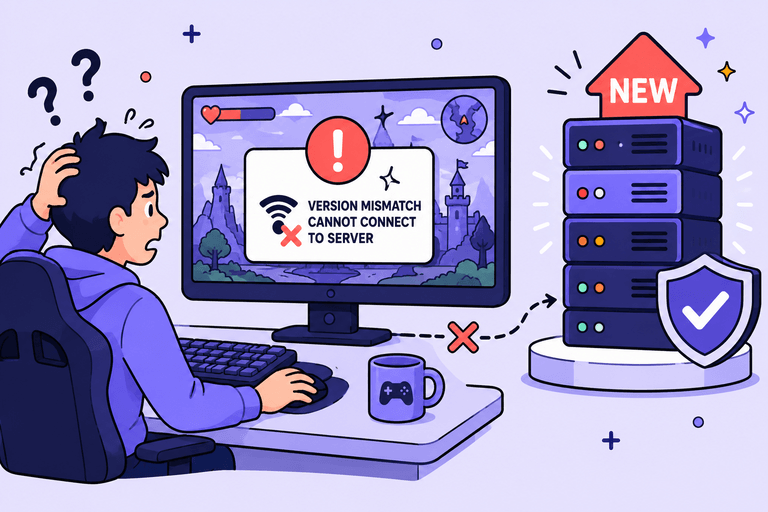
Here's a comparison you'll recognize: it works just like an online game. The game company rolls out a new map and new gameplay on the server, but if your client doesn't patch up, at best you can't get into the new content, and at worst you can't connect at all. The game isn't gone. Your end just no longer lines up with the server.
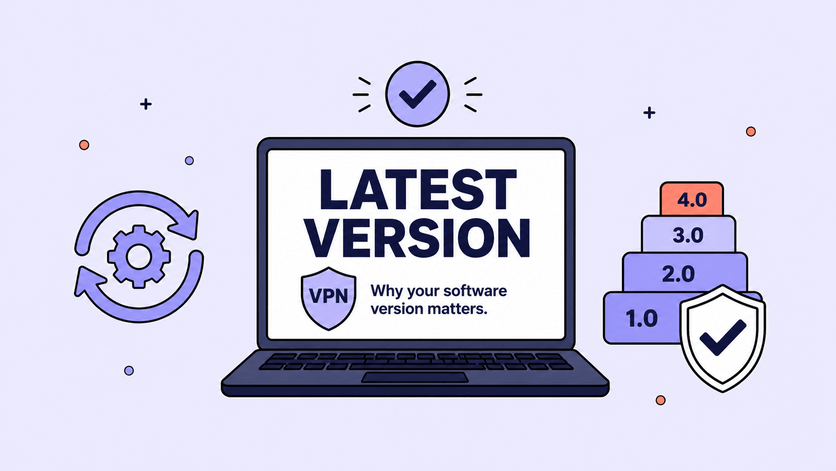
A VPN works the same way. On the server side we're constantly adding new things and new capabilities, but for those new services to actually reach you, the two ends have to speak the same language, the communication protocol. Once the server takes a step forward, only a client that has also updated and stayed version-compatible can keep up and actually make use of what's new. So over time, the older your version, the less of what we send actually reaches you; only by staying on the latest can your end receive every service we put out.
On security, us updating the server alone isn't enough
For a VPN, security is something you can't afford to slack on. LetsVPN is no different: the work on communication-security defenses never really stops, and the moment a new risk shows up, it gets patched.
But as we said earlier, most of that work happens on the server, the end you never see.
Some of those defenses can't reach you no matter how hard our server pushes; they have to ride along with a new version onto your client, and only once you update to the latest do they actually start covering you. The way we see it, we build the defensive line, but you have to get your client up to date for that line to be complete.
Learn to read a version number and you'll know whether to update
Back to version numbers. They look like a string of cold digits, but there's a pattern hiding inside.
The easiest example is sitting in your pocket. Every June, Apple holds its developer conference and, as usual, unveils a new generation of its operating system; next month's event on June 8 is no exception, with iOS 27 already on the way. That once-a-year, whole-system overhaul is a major version update. The 26.1 and 26.2 updates that pop up during the year, by contrast, are mostly small fixes and security patches, far lighter in weight. Big versus small, you can tell at a glance.
It's the same on the AI side. Going from GPT-4 to GPT-5 was a generational leap; it learned to think the problem through internally before saying a word, and its reasoning and coding stepped up a whole level. And as GPT-5 climbed all the way to 5.5, still the fifth generation, it got better and better at breaking down complex tasks on its own and working across several tools to finish a job. Whether the generation changed, whether a key capability got added, the way the number moves lines right up.
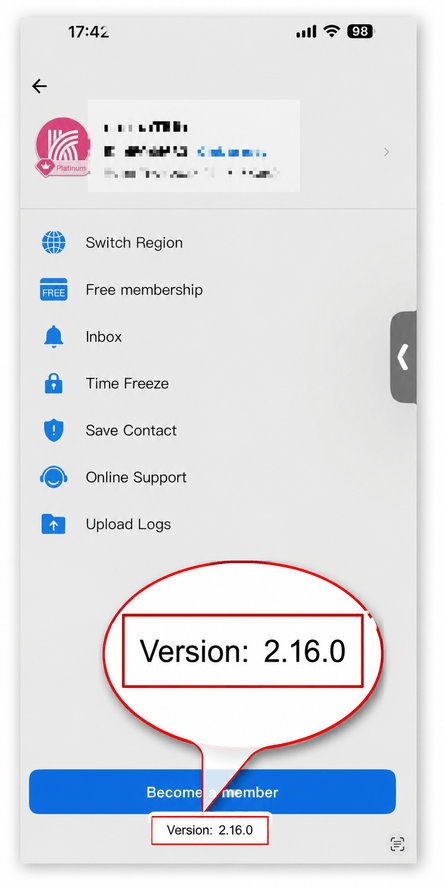
Software version numbers run on the same idea, except where AI and operating systems mostly use just the first two parts, software like this adds a third for the smallest fixes, looking something like 2.16.0.
- The first part, that leading 2, is the major version, a product-level rebuild or new generation, like Apple's once-a-year OS release or GPT-4 to GPT-5. Once it changes, you almost always want to upgrade.
- The second part, the 16 in the middle, is an important feature iteration, like GPT-5 to 5.5. When this one moves, it means we've shipped something substantial.
- The third part, the final 0, is minor fixes and polish, like iOS 26.1 or 26.2; right now it's 0, meaning this major version hasn't shipped one of those small patches yet.
So here's a lazy rule of thumb: forget the rest and just watch the first two parts. The middle one especially: if it has changed recently, chances are something meaningful moved, and it's worth updating to see for yourself.
Want LetsVPN on the latest version? Three easy ways
Putting it into practice is simple. Here are three ways; use whichever is handiest.
- Wait for the prompt: open the LetsVPN client, and if there's a new version it'll usually pop up a notice; just follow it.
- Check the app store: take a look in the app store where you first downloaded it, and it'll flag any available update there too.
- Check manually: in the client's menu, find the version-number row and tap "Check for updates"; it'll tell you whether you're on the latest, and you'll catch a glimpse of where your version stands while you're at it.
And if you'd rather not weigh how big each update is, just remember the easiest rule: when there's an update, take it. Staying on the latest is the most stable, and the most reassuring.
One last thing
Back to where we started. We're happy to chase the latest version of an AI because we want to use the smartest one. The tool in your hands is no different: every step its version number takes forward is us trying to make it more stable, more secure, and better to use.
Flip it around: if you never update, all those new features and protections simply never become yours.
Stay on the latest, and you're always standing on the best version we have to offer.
Any questions, write to us anytime at letsvpn@rbox.me.
Share
Helpful
Valuable
MorePlease
Unclear
Useless
Unreliable